

Deleting a contact list
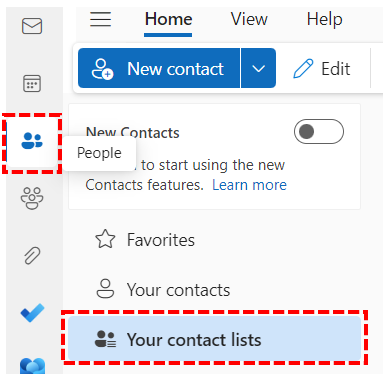
1. Select the People icon in the navigation bar and then click on Your contact lists.
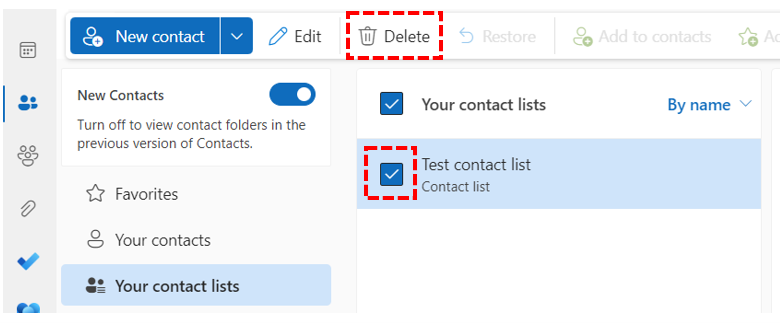 2. Select the contact list you want to delete, and click Delete.
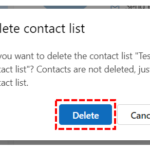 3. Select Delete to confirm.
Restore a deleted contact list
A deleted contact list sits in the Deleted folder.
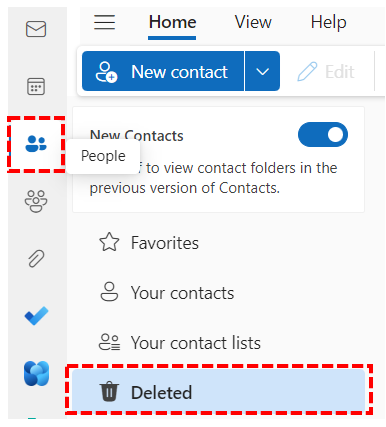 1. Select the People icon in the navigation bar and then click on Deleted folder.
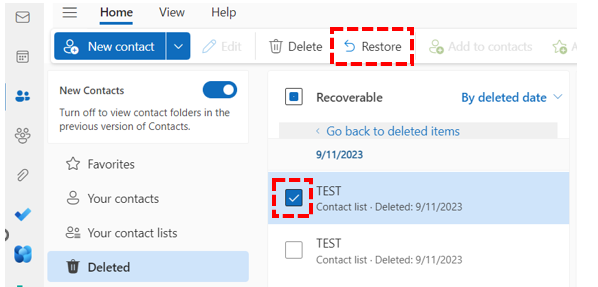
2. Select the contact list you want to restore, and click Restore.
The contact list will be restored to Your contact lists folder in the people page.
| Last Reviewed Date | 31/05/2024 |
