
This article provides step-by-step instructions on how to access The NHS.net Connect Academy on Viva Learning.
What resources are available?
The NHS.net Connect Academy will host all optional learning materials and support resources for end users. This will include Introductory Packs, FAQs, Day 1 Cheat Sheets, feature maps, and videos that will help you prepare for the new Service and support you to make the most of the new features once your organisation migrates. Resources will be uploaded and updated regularly.
Please Note: If you are a Local Administrator (LA), then you also have access to LA specific resources via the LA SharePoint.
How do I access The NHS.net Connect Academy?
1. Go to Viva Learning.
2. Login with your NHS.net account (if prompted).
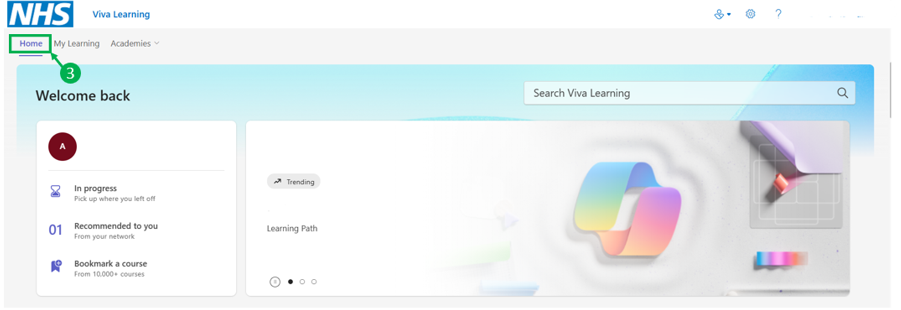 3. Once in Viva Learning, in the top menu, select the “Home” tab
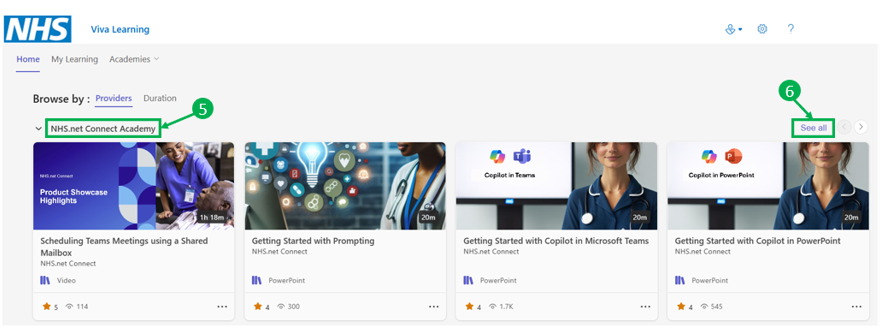 4. Scroll down the page to find the “Browse by” section. Select “Providers”
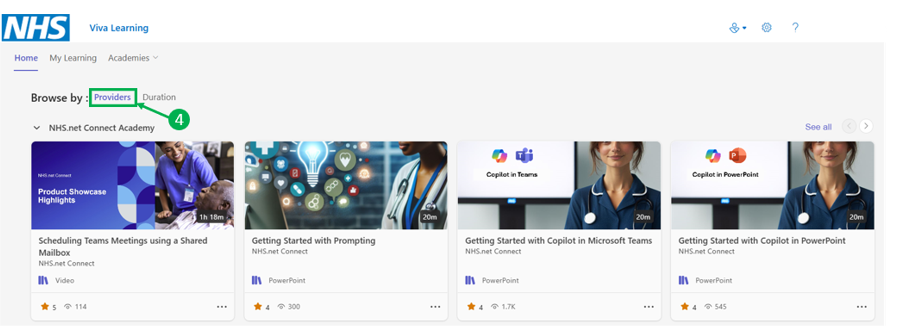 5. Scroll down the list of providers until you see “NHS.net Connect Academy”
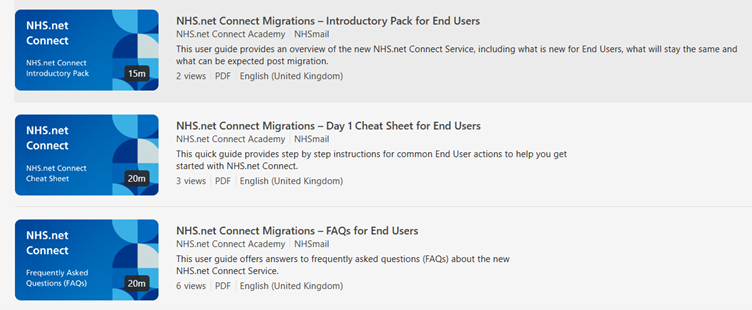 6. Select “See all” for a list of all resources. The NHS.net Connect Migrations resources look like this.
| Last Reviewed Date | 23/02/2026 |
